Every time you refresh a page, send a message, or stream a video, a silent, lightning-fast negotiation happens behind the scenes. Millions of these “handshakes” occur every second, governed by a complex set of rules that most users never see. These are the Common Protocols used in the Modern IT World, and in 2026, they are more sophisticated—and more vital—than ever before.
Think of protocols as the grammar of the internet. Without them, a computer in Tokyo wouldn’t know how to interpret a packet of data sent from a server in New York. However, the “grammar” we used a decade ago is no longer sufficient for our AI-driven, low-latency demands. Today, we are witnessing a fascinating shift where efficiency and security are no longer optional add-ons; they are baked into the very fabric of the connection.
Despite rapid shifts toward cloud-native architectures, AI-driven operations, and edge computing, protocols haven’t become obsolete. Instead, they’ve quietly evolved, supporting higher scale, tighter security, and increasingly distributed environments. In my experience working alongside infrastructure and DevOps teams, most outages or security incidents eventually trace back to a misunderstood or misconfigured protocol rather than application code.
In this deep dive, we’ll explore the protocols currently powering our digital lives, why some “legacy” systems refuse to die, and what the future holds as we move toward a post-quantum world.
Common Protocols in 2026
HTTP (Hypertext Transfer Protocol): The fundamental protocol for transferring web pages. It operates on a request-response model where your browser asks for data and the server provides it.
HTTPS (Hypertext Transfer Protocol Secure): The modern standard for web browsing. It uses TLS to encrypt the data sent between your browser and the server, preventing outsiders from reading your passwords or personal info.
IP (Internet Protocol): The core “routing” protocol of the internet. IPv4 uses the familiar four-part numbers (like 192.168.1.1), while IPv6 uses longer alphanumeric strings to provide trillions of more addresses for our growing device count.
TCP (Transmission Control Protocol): A “connection-oriented” protocol that ensures data arrives exactly as sent. It numbers packets and waits for an acknowledgment, making it reliable but slightly slower than “quick-and-dirty” methods.
UDP (User Datagram Protocol): A “connectionless” protocol that prioritizes speed over perfection. It sends data without checking if it arrived, which is why it’s used for things like live video streams where a dropped frame is better than a long pause.
DNS (Domain Name System): The internet’s directory. It translates a human-friendly name like google.com into the numerical IP address that computers use to find each other.
DHCP (Dynamic Host Configuration Protocol): The protocol that saves you from manual labor. When you join a Wi-Fi network, DHCP automatically hands your device an IP address and all the settings it needs to get online.
TLS (Transport Layer Security): The successor to SSL. It provides the cryptographic backbone for secure communications, ensuring that data is encrypted and that the server you’re talking to is actually who they claim to be.
SSH (Secure Shell): A protocol used to securely log into and manage remote computers via the command line. It’s the “gold standard” for system administrators to fix servers from across the globe.
SMTP (Simple Mail Transfer Protocol): The primary engine for sending emails. When you hit “Send,” SMTP moves your message from your device to the recipient’s mail server.
IMAP (Internet Message Access Protocol): The modern way to read email. It keeps your inbox synchronized across multiple devices, so deleting an email on your phone also removes it from your laptop.
POP3 (Post Office Protocol v3): An older way to read email that downloads messages to a single device and often removes them from the server. It’s less common today because it doesn’t handle multiple devices well.
SNMP (Simple Network Management Protocol): A tool for the “observers.” It allows network administrators to monitor the health and performance of routers, switches, and servers from a central dashboard.
MQTT (Message Queuing Telemetry Transport): A lightweight, “low-chatter” protocol designed for the Internet of Things (IoT). It’s perfect for smart home sensors that need to send tiny bits of data while saving battery life.
SFTP (Secure File Transfer Protocol): A secure way to move files between computers. Unlike the old FTP, SFTP runs inside an SSH tunnel, meaning your files are encrypted while they’re moving.
ICMP (Internet Control Message Protocol): Used mainly for diagnostics. When you use the ping command to see if a website is “up,” you are sending an ICMP request to see if the server responds.
NTP (Network Time Protocol): The reason all your devices show the same time. It synchronizes computer clocks to within milliseconds of a master atomic clock.
BGP (Border Gateway Protocol): The “GPS” of the internet. It helps large networks (like ISPs) decide which path data should take to get from one side of the world to the other as efficiently as possible.
ARP (Address Resolution Protocol): The local translator. It finds the physical hardware address (MAC address) of a device on a local network when only its IP address is known.
LDAP (Lightweight Directory Access Protocol): A protocol used to look up information in a central directory. In many offices, this is what allows you to use the same username and password to log into your PC, your email, and the printer.
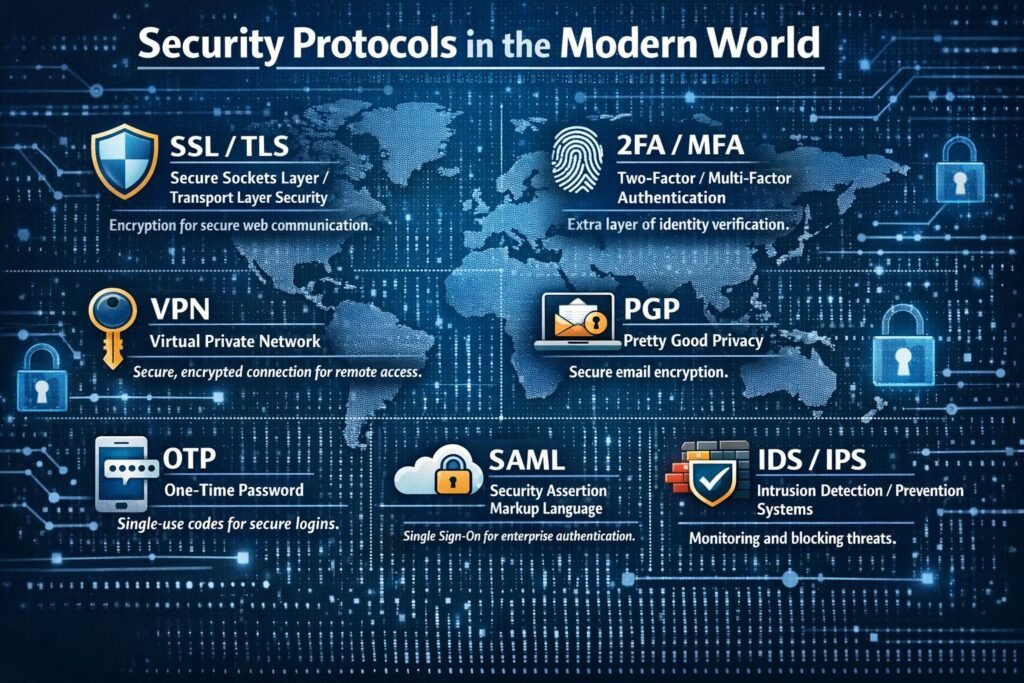
TLS 1.3 (Transport Layer Security): The backbone of secure web traffic. In 2026, this protocol is nearly universal, providing the encryption for HTTPS. It is faster and more secure than its predecessors by removing outdated algorithms and shortening the handshake process. A key development this year is the industry-wide shift toward significantly shorter certificate lifespans to minimize the impact of compromised keys.
IPsec (Internet Protocol Security): A suite of protocols used to secure communication at the IP layer. It is the primary technology behind VPNs, providing a secure tunnel for data. It handles both authentication and encryption, ensuring that every packet of data moving between two points is shielded from prying eyes.
SSH (Secure Shell): The standard for secure remote access to servers and network devices. It replaces insecure methods like Telnet by providing an encrypted channel for command execution and file transfers. In modern IT, SSH is often hardened with hardware-based keys rather than simple passwords.
ML-KEM (Module-Lattice-Based Key-Encapsulation Mechanism): Formerly known as Kyber, this is one of the first widely adopted Post-Quantum Cryptography (PQC) protocols. In 2026, it is being integrated into browsers and VPNs to ensure that today’s encrypted data cannot be “harvested now and decrypted later” by future quantum computers.
ML-DSA (Module-Lattice-Based Digital Signature Algorithm): Part of the new NIST standards for quantum resilience, this protocol (previously called Dilithium) is used for digital signatures. It ensures that software updates, digital contracts, and identity certificates remain authentic even in a world where quantum attacks are a reality.
FIDO2 (Fast Identity Online): The protocol that has effectively killed the traditional password for many users. It enables the use of “passkeys,” allowing you to log into services using local biometrics or hardware security keys. It is inherently resistant to phishing because the secret key never leaves your physical device.
OAuth 2.0: A framework that allows applications to gain limited access to user accounts on other services without ever seeing the user’s password. It is the technology behind “Sign in with Google” or “Log in with Microsoft,” acting as a secure intermediary for authorization.
SAML 2.0 (Security Assertion Markup Language): The primary protocol for Single Sign-On (SSO) in enterprise environments. It allows a user to authenticate once with an Identity Provider and then gain access to dozens of different corporate applications without re-entering credentials.
DNSSEC (Domain Name System Security Extensions): This protocol adds a layer of trust to the “phonebook” of the internet. It uses digital signatures to verify that the DNS record you received is authentic and hasn’t been tampered with by an attacker trying to redirect you to a malicious site.
S/MIME (Secure/Multipurpose Internet Mail Extensions): A protocol used to sign and encrypt email. It provides end-to-end security, ensuring that only the intended recipient can read a message and that the sender’s identity is verified by a trusted certificate.
WPA3 (Wi-Fi Protected Access 3): The current standard for securing wireless networks. It offers much stronger protections against password-guessing attacks and uses individualized data encryption for every device on the network, even if the network is open.
SNMPv3 (Simple Network Management Protocol version 3): Unlike earlier versions, SNMPv3 includes robust security features like authentication and encryption. This allows IT teams to monitor and manage network hardware across the globe without exposing management data to interceptors.
802.1X: A port-based network access control protocol. It ensures that a device cannot connect to a corporate Wi-Fi or Ethernet network until it has been successfully authenticated against a central database, preventing unauthorized physical access to the network.
SRTP (Secure Real-time Transport Protocol): A security profile for the protocol used in VoIP and video calls. It provides encryption, message authentication, and integrity for the media stream, ensuring your private conversations stay private.
LDAPS (Lightweight Directory Access Protocol over SSL/TLS): The secure version of LDAP used for accessing and managing directory services. It ensures that sensitive user data and credentials being looked up in a directory are encrypted during transmission.
HSTS (HTTP Strict Transport Security): A policy mechanism that forces a web browser to only communicate with a specific website using secure HTTPS connections. It prevents “downgrade attacks” where a hacker tries to force you onto an unencrypted version of a site.
Z-Wave S2 (Security 2): A security-focused protocol for IoT devices. It provides a highly secure framework for smart home products, using a unique key for every device to prevent an attacker from taking over your smart locks or cameras.
RADIUS (Remote Authentication Dial-In User Service): A networking protocol that provides centralized Authentication, Authorization, and Accounting (AAA) management for users who connect and use a network service. It is a staple for managing access in large-scale Wi-Fi and VPN deployments.
Kerberos: A computer-network authentication protocol that works on the basis of “tickets” to allow nodes communicating over a non-secure network to prove their identity to one another in a secure manner. It is the heart of Windows Active Directory security.
TACACS+ (Terminal Access Controller Access-Control System Plus): A protocol commonly used by network administrators to manage access to routers and switches. It separates authentication, authorization, and accounting, providing more granular control than RADIUS in complex environments.
Protocols in the Cloud, Microservices, and AI Era
In the cloud, microservices, and AI era, protocols have shifted from being simple communication rules to becoming critical enablers of scalability, security, and intelligence. Cloud‑native and microservices architectures rely heavily on standardized, lightweight protocols—most commonly HTTP/HTTPS and increasingly high‑performance options like gRPC—to allow hundreds or thousands of loosely coupled services to communicate efficiently over networks.
Security protocols such as TLS and mutual TLS are now foundational, ensuring encrypted and authenticated service‑to‑service communication in zero‑trust environments where traditional network perimeters no longer exist.
With the rise of AI systems, protocols must also support high‑volume API calls, streaming data, and secure model access, as a single AI request can traverse many interconnected services and endpoints, dramatically increasing protocol usage and complexity. In this era, protocol design and selection are no longer low‑level concerns—they directly influence performance, resilience, security posture, and the ability of cloud and AI systems to scale safely and sustainably.
Conclusion
Understanding the Common Protocols used in the Modern IT World is like learning the blueprint of a skyscraper. You might only see the shiny glass exterior (the user interface), but the structural integrity depends on the steel beams and plumbing hidden within.
From the high-speed multiplexing of HTTP/2 to the quantum-ready future of TLS 1.4, these protocols are evolving to be faster, more secure, and more resilient. Whether you are a developer, a sysadmin, or just a tech enthusiast, staying ahead of these shifts is the key to navigating the digital landscape of 2026.
The Common Protocols used in the Modern IT World haven’t changed radically—but how we rely on them has. Cloud, automation, and security demands have raised the stakes. Protocols are no longer background knowledge; they’re active levers for reliability, scalability, and compliance.
Professionals who understand not just what protocols do—but where and why they fit—are better equipped to future-proof their systems.
Pingback: Roadmap to the Cybersecurity world - The Cyber Server