Imagine you are standing in front of a massive, 100-story apartment complex in the heart of a bustling city. You have the street address, so you know exactly which building you are looking at. But once you step through the front doors, you realize the street address isn’t enough. To deliver a package to a specific person, you need an apartment number. Without it, you are just standing in a lobby with a box and nowhere to go.
In the digital world, your computer’s IP address is that street address. It gets data to the right “building” (your device). However, to ensure that a YouTube stream doesn’t accidentally end up in your Outlook inbox, the internet relies on a more granular system. This is where Network Ports and Sockets come into play. They are the logical apartment numbers and the open doors that allow the modern internet to function with surgical precision.
Understanding the relationship between Network Ports and Sockets isn’t just for network engineers or cybersecurity experts. It is the key to understanding how every piece of software on your phone, laptop, and smart fridge communicates across the globe simultaneously without crashing into one another.
The Logical Postman: What Exactly Are Ports?
Every time you open a website, send an email, or stream a video, a quiet but essential conversation happens behind the scenes. That conversation relies on Network Ports and Sockets, two concepts that sound abstract until something breaks—and suddenly everyone wants answers.
What Is a Network Port?
A network port is a numerical identifier used by transport-layer protocols like TCP and UDP to route incoming traffic to the correct application on a device. Think of it as a labeled doorway into your system.
Port numbers range from 0 to 65535, divided into standardized categories maintained by the Internet Assigned Numbers Authority.
Common port ranges include:
- System ports (0–1023) for core services like HTTP and HTTPS
- Registered ports (1024–49151) for vendor-specific applications
- Dynamic ports (49152–65535) for temporary client connections
Importantly, a port by itself doesn’t create communication—it simply marks where traffic should go.
A port is not a physical plug on the back of your computer. While we often think of “ports” as USB or HDMI slots, a network port is a purely logical construct. It is a 16-bit number assigned by the operating system to a specific process or service.
Because it is a 16-bit number, the range of available ports spans from 0 to 65,535. Think of these as 65,536 potential “mailboxes” inside your computer. When data packets arrive at your IP address, the header of those packets contains a port number. The operating system looks at that number and says, “Ah, Port 443—this goes to the web browser.”
The Three Tiers of Ports
Not all ports are created equal. The Internet Assigned Numbers Authority (IANA) has divided these 65,535 ports into three distinct categories to maintain order in the digital chaos:
- Well-Known Ports (0–1023): These are reserved for universal, core services. For example, Port 80 is for unencrypted web traffic (HTTP), while Port 22 is for secure remote logins (SSH).
- Registered Ports (1024–49151): These are often used by specific applications or vendors. If you’ve ever played a multiplayer video game or used a database like MySQL (Port 3306), you’ve likely interacted with a registered port.
- Dynamic or Private Ports (49152–65535): These are the “temp workers” of the networking world. Your computer uses these as temporary outgoing ports when you initiate a connection to a server.
Defining the Socket: The Handshake That Matters
If a port is a mailbox, then what is a socket? This is where many people get confused. A socket is the actual endpoint of a bidirectional communication link between two programs running on a network.
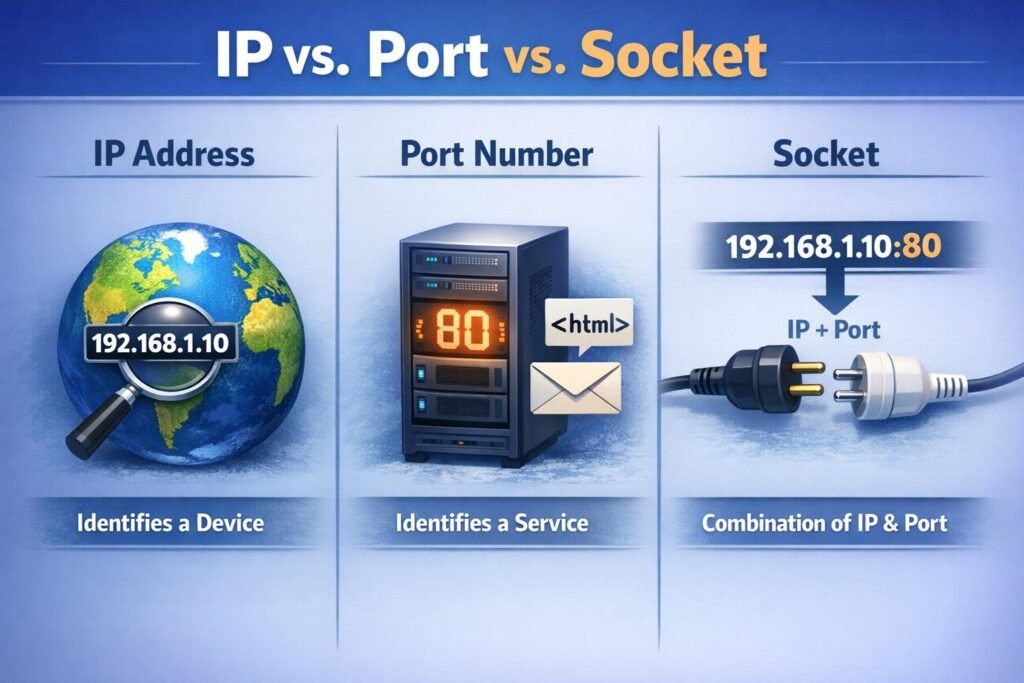
In simpler terms, a socket is the combination of an IP Address and a Port Number.
What Is a Socket?
A socket is a fully qualified communication endpoint. It combines:
- An IP address
- A port number
- A transport protocol (TCP or UDP)
In other words, if a port is a doorway, a socket is the full street address and the door number. Only with all three pieces can two applications exchange data reliably. Sockets are created and managed by the operating system and exist only for the lifetime of a connection or process.
When you combine them, you get a unique identifier (e.g., 192.168.1.1:443). This “socket address” is what allows a specific conversation to stay private and directed. To have a complete conversation over the internet, you actually need a “Socket Pair”—a source socket (your device) and a destination socket (the server).
The Comparison: IP vs. Port vs. Socket
To keep things clear, let’s look at how these three components work together in a hierarchy.
| Component | Analogy | Function |
| IP Address | The Apartment Building | Identifies the specific device on a global or local network. |
| Port | The Apartment Number | Identifies a specific service or application running on that device. |
| Socket | The Occupant + Apartment | The specific connection endpoint that facilitates data exchange. |
The Secret Sauce: The Five-Tuple Insight
One of the most profound “aha!” moments in networking comes from understanding how a server can handle thousands of people all connecting to the same port (like Port 443 for HTTPS) at the exact same time. If everyone is going to the same “apartment number,” how does the server keep the mail separate?
The answer lies in the Five-Tuple. For every single connection, the operating system tracks five specific pieces of information:
- Source IP Address
- Source Port
- Destination IP Address
- Destination Port
- Protocol (TCP or UDP)
Even if 10,000 people are connecting to the same Destination Port (443), their Source IP addresses and Source Ports will all be different. This unique combination creates a distinct Network Ports and Sockets footprint for every single user. This is why you can have fifty tabs open in your browser, all talking to the same website, without the data getting mixed up.
TCP vs. UDP: Choosing Your Delivery Method
When we talk about Network Ports and Sockets, we cannot ignore the protocols that govern them. The two main players are TCP (Transmission Control Protocol) and UDP (User Datagram Protocol).
TCP Sockets: The Certified Mail
TCP is the “perfectionist.” Before data is sent, a TCP socket performs a “three-way handshake.” It ensures the connection is established, checks that every packet arrives in the correct order, and asks for a re-send if something goes missing. This is essential for web browsing, emails, and file transfers where a single missing bit could corrupt the entire file.
UDP Sockets: The Megaphone
UDP is the “broadcaster.” It doesn’t care if you heard it; it just keeps talking. It doesn’t perform a handshake or check for errors. While that sounds unreliable, it is incredibly fast. This makes UDP sockets the go-to choice for live video streaming, online gaming, and VoIP calls where a tiny bit of data loss is better than a massive lag spike.
The Security Perspective: Open Doors and Hidden Risks
From a security standpoint, every open port is a potential doorway into your system. Cybercriminals often use a technique called “Port Scanning” to see which “doors” are unlocked. Using tools like Nmap, an attacker can scan a range of IP addresses to find open ports associated with vulnerable services.
Closing the Blinds
Modern security best practices suggest a “Default Deny” posture. If a service doesn’t need to be accessible from the internet, its port should be closed or hidden behind a firewall. This is why your home router likely blocks all incoming traffic by default unless you specifically “forward” a port for a dedicated purpose, like hosting a Minecraft server or a home security camera.
Pro Tip: If you are curious about what ports are currently active on your own machine, you can usually find out by using the netstat command in your terminal or command prompt. It provides a fascinating, real-time look at the “conversations” your computer is currently having with the world.
Common Ports You Interact With Daily
Even if you never look at a line of code, you are likely using these ports every single hour. Familiarizing yourself with them can help you troubleshoot connection issues or understand why a certain website might be blocked on a corporate network.
- Port 22 (SSH): The gold standard for securely logging into a remote server.
- Port 25 (SMTP): The primary port used for sending emails between servers.
- Port 53 (DNS): The “phonebook” of the internet, which turns domain names (google.com) into IP addresses.
- Port 80 (HTTP): The old, unencrypted way of viewing websites. Most modern browsers will warn you if you use this.
- Port 443 (HTTPS): The secure version of web traffic, encrypted via SSL/TLS.
- Port 3389 (RDP): Used by Windows Remote Desktop to allow users to control a PC from another location.
Future Trends: Beyond Traditional Sockets
As we move further into the era of Cloud Computing and Microservices, the way we handle Network Ports and Sockets is evolving. We are seeing a shift toward Service Meshes and API Gateways, which act as intelligent traffic controllers. Instead of a developer having to manually manage thousands of socket connections, these tools use “Sidecar” proxies to handle the heavy lifting of communication, encryption, and load balancing.
Additionally, the rise of IPv6 is slowly changing the landscape. With a virtually infinite number of IP addresses available, the old “hacks” we used to save IPs (like Port Address Translation) may eventually become relics of the past. However, the fundamental concept of the port and the socket remains the bedrock of how data finds its destination.
Key Insights to Remember
- Ports identify services; sockets identify conversations
- One port can support thousands of simultaneous sockets
- Ephemeral ports enable scalable client connections
- Sockets abstract complexity while preserving performance
- Security depends heavily on disciplined port and socket management
Conclusion: The Backbone of Digital Life
The next time you click a link, send a text, or join a Zoom call, take a second to appreciate the invisible work being done by Network Ports and Sockets. They are the silent conductors of the internet’s symphony, ensuring that trillions of data packets find their exact “apartment” every second of every day.
Whether you are a budding developer or just a curious user, understanding these concepts empowers you to navigate the digital world with more confidence and security. The “doors” are always there—now you know how they open and where they lead.
Pingback: Roadmap to the Cybersecurity world - The Cyber Server